
Privacy and Publishing Controls in the Child Care Finder Provider Portal
This how-to guide gives step by step instructions on how to use the Child Care Finder Provider Portal. The purpose of this guide is to support providers navigating their own access, and for use by others who are supporting providers with technical assistance.
This guide is meant to highlight the key steps to update the privacy preferences in two main places within Child Care Finder: the Published/Unpublished status, and the address-sharing toggle. It’s important that providers review and confirm or update these two options upon logging into Child Care Finder.
Child Care Provider Portal

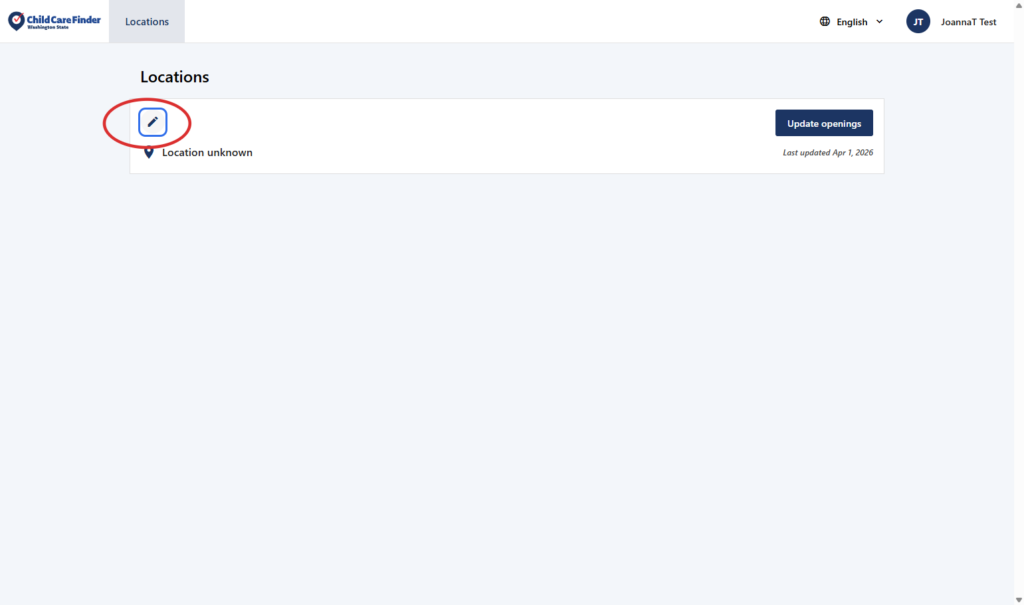
1. From the landing page after logging in, Click on the pencil icon to edit your profile.
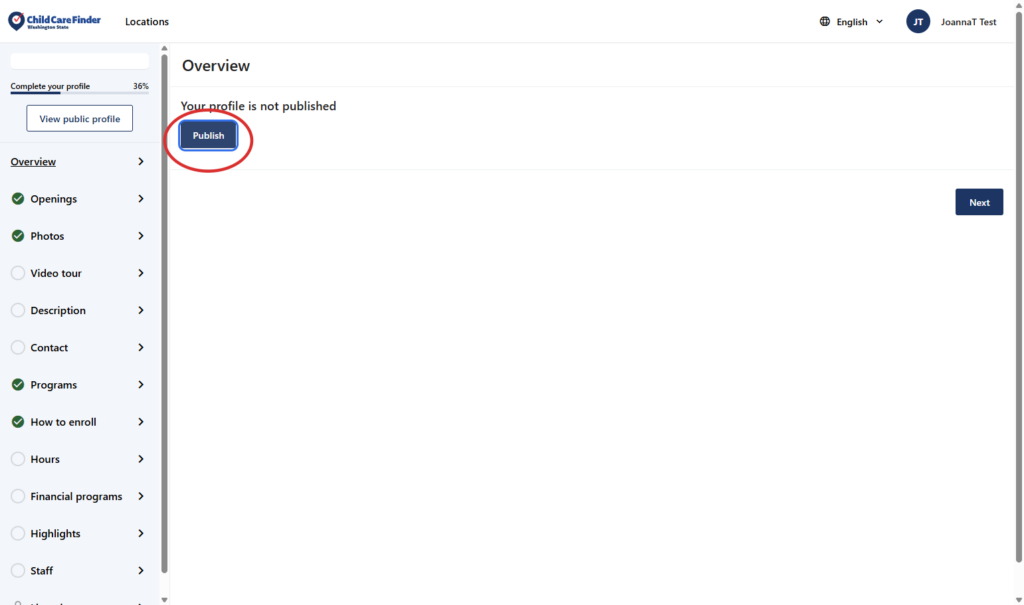
2. In order to publish your profile to appear in family searches, click on Publish. This allows families searching for care to know that this provider location exists, and see the details within the profile.
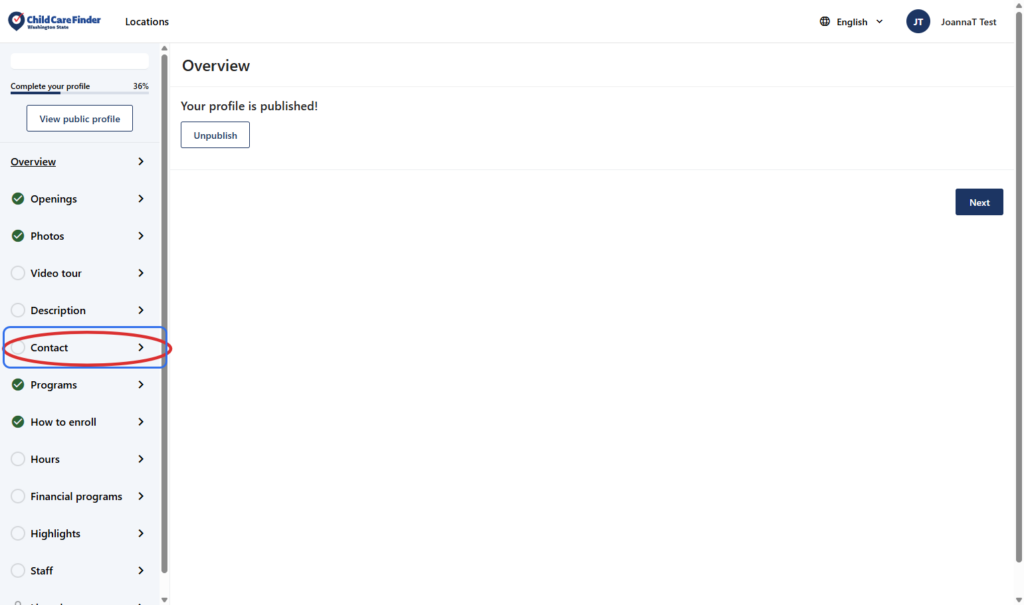
3. To view and update the address-sharing preferences, Click on Contact
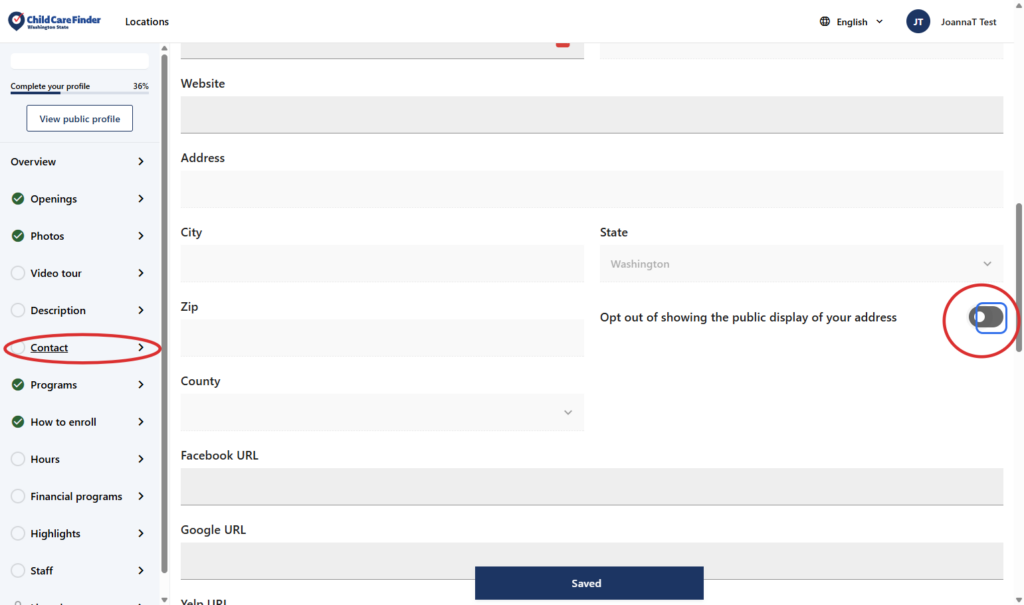
4. Scroll down the page about halfway to the “Opt Out of Showing the Public Display of Your Address” field. To edit it, click the togglean option(circled in red below).
If the profile is published, the listing will be viewable by families. If you opt out of showing the public display of your street address by toggling this on, the listing will appear with the zip code and city only, appearing on the map with a broader and less accurate icon. This allows families to access your information and reach out, without giving the exact address before families reach out to inquire.
Privacy Policy
Your privacy and security matter to us. Child Care Aware of Washington only shares your information if you choose to opt in, so families may learn about your services. Your profile will remain private until you opt in to being listed.